





Softphones para sa VoIP Calls
Ang hosted call center software ng LiveAgent ay sumusuporta sa softphones para sa VoIP calls mula sa mga device, na nagpapahusay ng customer support. Compatible...
3 min read
Softphones
VoIP
+2

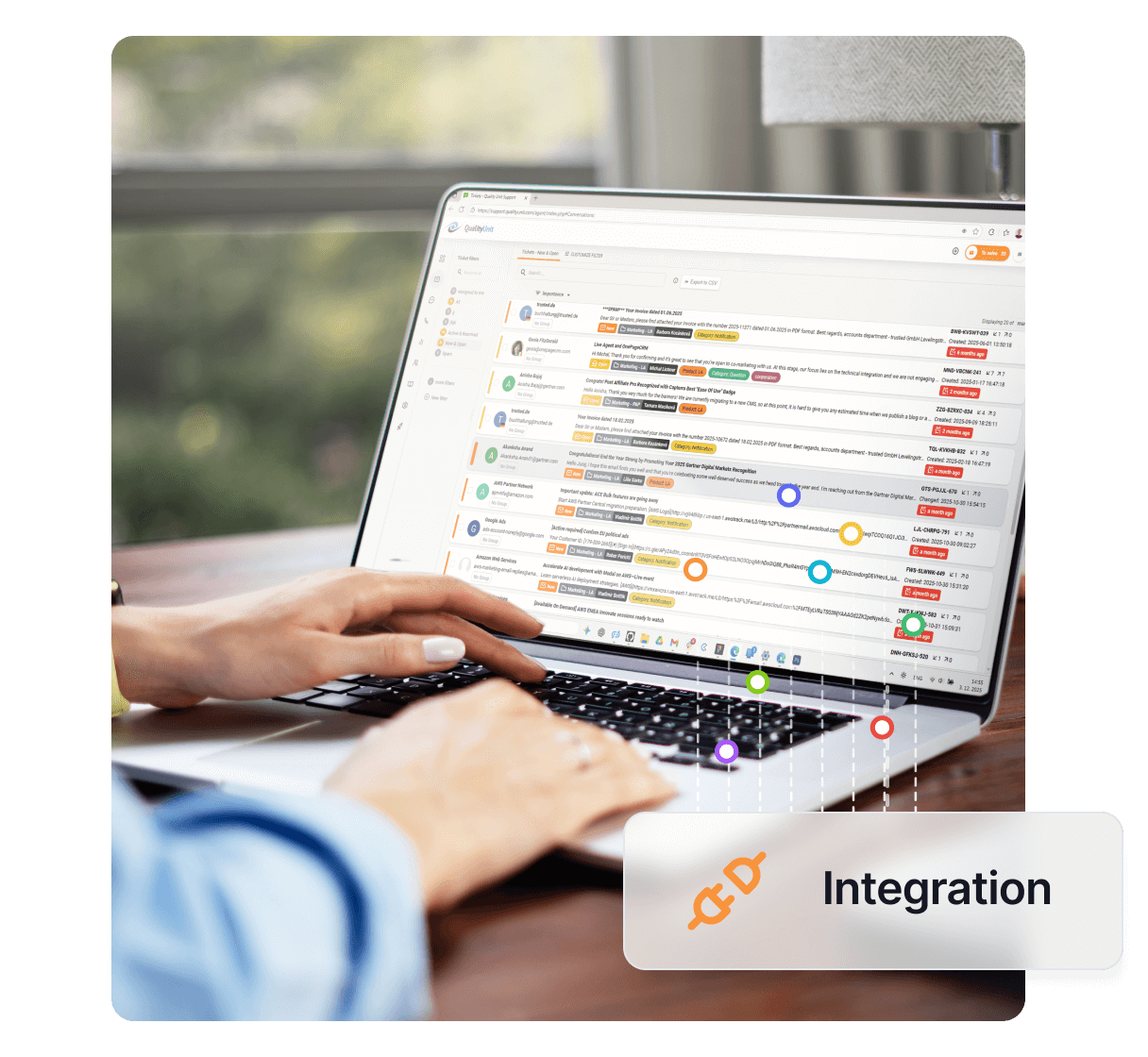
Ang Zoiper ay isang softphone app na seamlessly na nagsasama sa LiveAgent, nag-aalok ng madaling navigation at maaasahang functionality. Ito ay available sa parehong free at paid versions at sinusuportahan ang LiveAgent’s call center features tulad ng IVR at unlimited call recordings.
Ang Zoiper ay isang softphone app na maaaring maging mahusay na all-rounder application para sa pagtawag. Ang feature set ay iba sa bawat available plan. Ang free version ay nag-aalok ng essential ngunit mahusay na functionality. Ang paid plan ay nag-aalok ng extra options tulad ng HD calls at encryption. Ang ikatlong option ay isang custom solution kung saan ang user ay makakakuha ng pagpili sa design at ang available feature set.
Ang Zoiper ay isang maaasahang softphone application na maaaring gamitin upang harapin ang customer calls. Mas mahusay pa, salamat sa madaling implementation at integration sa LiveAgent, maaari mo itong gamitin bilang iyong pangunahing softphone app upang makipagtulungan sa LiveAgent’s call center features. Gumagana ito nang perpekto sa LiveAgent’s call center at maaari mo itong gamitin kasama ang mga features tulad ng IVR, unlimited call recordings, internal calls at marami pang iba.
Madali. Ang kailangan mo lamang upang magsimula ay i-download ang Zoiper, at mayroon nang iyong VoIP service number na konektado sa LiveAgent. Kapag nagsimula ka na sa setup ng Zoiper, kailangan mong lumikha ng bagong device sa LiveAgent gamit ang iyong VoIP number.
Step 1: Lumikha ng bagong SIP device sa LiveAgent
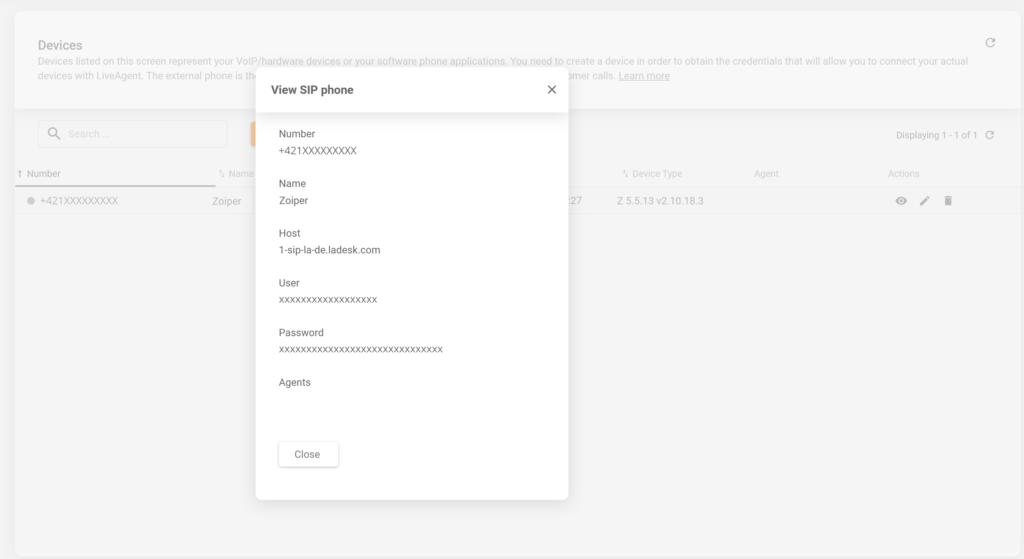
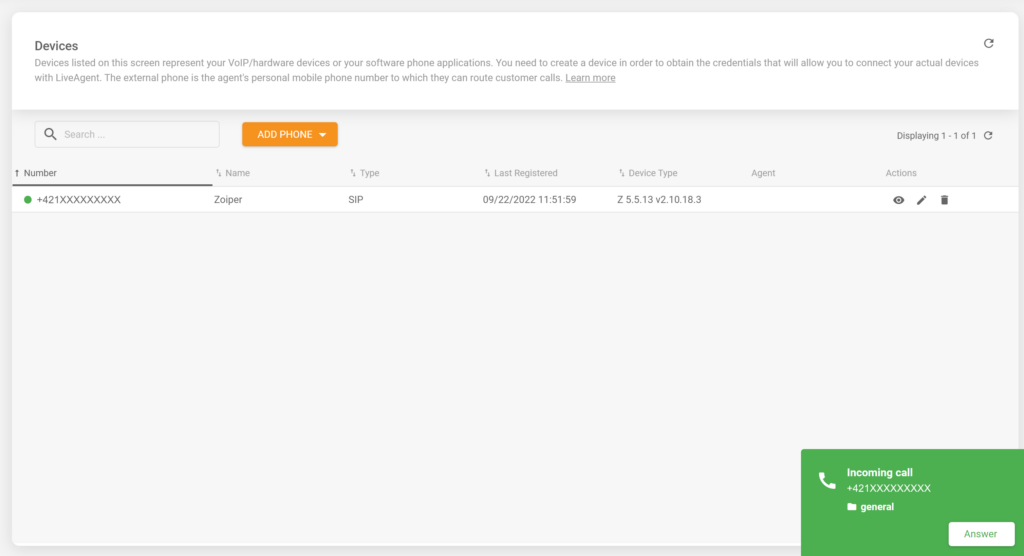
Pumunta sa Configuration > Call > Devices at lumikha ng bagong SIP phone. Isama ang number na mayroon ka mula sa iyong VoIP service at pangalanan ang phone kung paano mo gusto. Kapag nag-save ka ng device na ito, makikita mo ang screen na may iyong login information.
Step 2: Ikonekta ang iyong VoIP account sa Zoiper
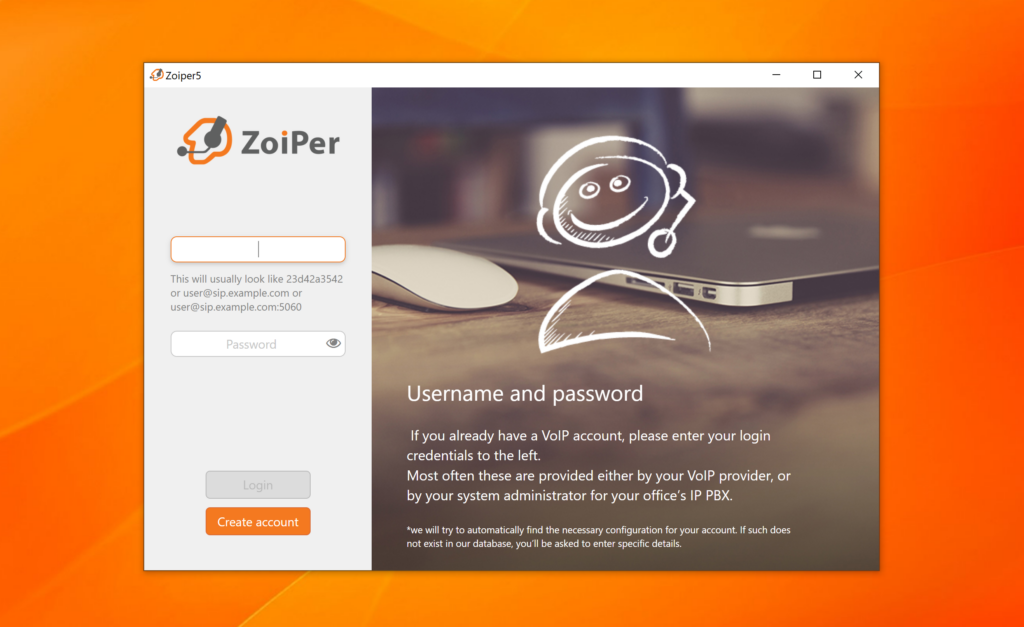
Ngayon, sa panahon ng setup ng Zoiper, mayroon kang option na ikonekta ang iyong VoIP account. Gamitin ang credential information mula sa nakaraang step. Ibigay ang login information sa format na ito user@host at pagkatapos ibigay ang iyong password.
Step 3: Magsimulang makatanggap ng mga tawag
Iyan na, matagumpay mong naikonekta ang iyong Zoiper softphone sa LiveAgent. Maaari mo na ngayong magsimulang makatanggap at harapin ang customer calls sa iyong LiveAgent call center.
Harapin ang customer queries sa pamamagitan ng telepono gamit ang LiveAgent. Nag-aalok ang LiveAgent ng iba't ibang useful call center features na makakatulong sa iyo na harapin ang anumang incoming calls at panatilihin ang mga ito sa system.
Ang hosted call center software ng LiveAgent ay sumusuporta sa softphones para sa VoIP calls mula sa mga device, na nagpapahusay ng customer support. Compatible...

Discover LiveAgent's top-rated softphone software for B2B & B2C businesses, offering SIP-based VoIP support for seamless, reliable communication from anywhere. ...
Tuklasin ang top-rated na software sa telepony ng LiveAgent para sa B2B & B2C na negosyo, nag-aalok ng SIP-based na VoIP support para sa seamless, maaasahang ko...
Join our community of happy clients and provide excellent customer support with LiveAgent.